Blog

  • Matt’s Take: What is Virtualization?

    Quite often, I will make analogies to residential home construction, particularly as I am familiar with in East Tennessee in the US, working with my dad’s construction crew nearly two decades ago among the mountains not far from one of the entrances to the Great Smoky Mountains National Park. Building houses on the side of a mountain is not easy.

    I have said that a hypervisor is akin to the concrete foundation, but the times I have said that have been to underscore the importance and role of a hypervisor. When looking holistically at the core components of IT infrastructure (compute, network, and storage), a slightly better picture emerges. The servers, various network equipment, storage arrays, etc. become the foundation. Hypervisors then become akin to the framing, or the structural core. The plumbing, electrical, HVAC, and so on are woven among around the framing, and are like an interconnected mix of VMs and services.

    In the world of virtualization, many hypervisors exist fulfilling different tasks, operating at different levels, and varying greatly with licensing and other associated costs. For desktop power users like myself who primarily started on Windows, only beginning to dabble with Linux with Ubuntu in the mid-2000s, names like VirtualBox, VMware Workstation, and Parallels should be quite familiar. These were/are applications that required installation on top, and ran inside, of Windows (or MacOS in the case of Parallels). This is what is called a Type 2 hypervisor. VirtualBox and VMware Workstation were typically free to download and use for non-commercial use, and sometimes even that was permitted. Parallels has typically come with a small one-time cost. Since Type 2 hypervisors are installed on top of, and shares resources with, an existing OS, virtualization here is typically a supplemental use-case for any single computer. Of course, they are useful for light testing of different operating systems, whether for development purposes for test driving a new distro of Linux. While they can be used for hosting lightweight servers, they are not the most ideal due to the resource burden on the host, and lack of backup solutions compared to more dedicated (most often Type 2) hypervisors.

    That brings me to Type 2 hypervisors. The most familiar names here are things like VMware, Hyper-V, Nutanix (specifically with their AHV, or Acropolis Hypervisor),and Xen. Looking closer at Xen, it comes from the open source XenProject, and dates all the way back to a research project at the University of Cambridge in 2003. It powers large aspects of the automotive and embedded industries, provides the hypervisor core of Citrix XenServer and XCP-ng, and has been a fundamental part of AWS’ virtualization elements since the beginning. Type 2 hypervisors are typically considered bare metal, where they are installed directly on a host and have exclusive access to hardware resources.

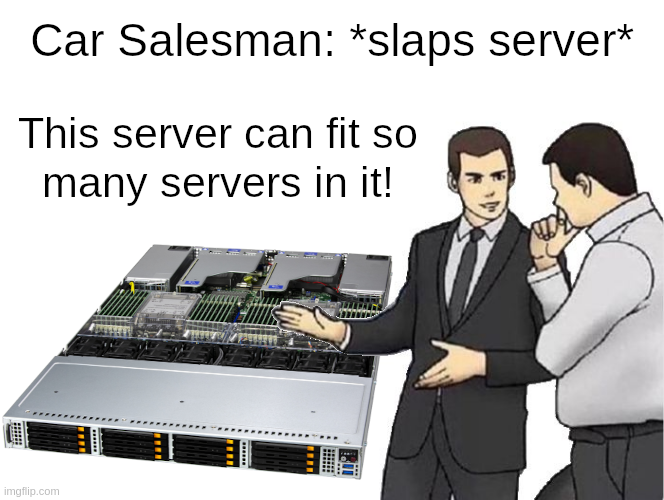
    Long story short, hypervisors allow you to run a bunch of servers (virtually) inside your server (bare-metal).
    VMware, Hyper-V, Nutanix, as well as XenServer come with their own additional, often very high, licensing costs. XCP-ng and Proxmox VE are (FLOSS, or free and libre open source software) and can both be downloaded, installed, and used in a homelab or production for free, with only the restrictions of their open source licenses. Additional enterprise support subscriptions are available for both. The rest of this post will focus on XCP-ng and Proxmox VE.

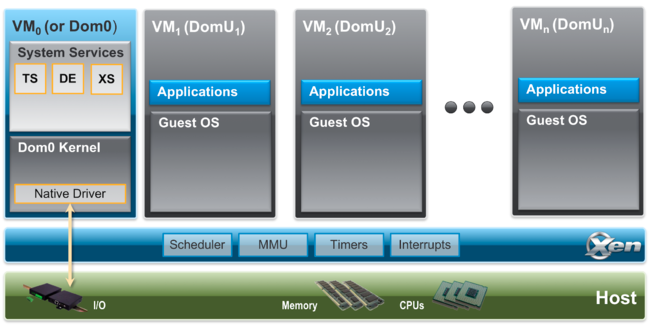
    The beauty of XCP-ng, in particular, is that it is quite capable whether installed on a dusty old spare workstation that was stuffed in a closet, or installed on a series of critical high performance compute nodes in a data center environment, all while being free and open source. Sure, Proxmox VE (and by proxy KVM) can also do this, but my experience (and bias) is with XCP-ng. One reason I did not adopt Proxmox years ago was that while KVM may often be talked about as a Type 1 hypervisor, it is actually a Type 2 as it relies on Linux kernel modules for virtualization. In the case of XCP-ng, Xen is booted first with exclusive access to hardware, and then a special Dom0 VM is booted with privileged access to that hardware. The Dom0 VM provides a secure bridge between user-created DomU VMs and the Xen microkernel. For homelabbers, this kind of distinction may be like splitting hairs, but as I was first adopting for production use, and this sort of security isolation was extremely important.


    Borrowing from The Myth of Type I and Type II Hypervisors:

    “The most common definition of “type-1” and “type-2” seem to be that “type-1” hypervisors do not require a host Operating System. In actuality, all hypervisors require an Operating System of some sort. Usually, “type-1″ is used for hypervisors that have a micro-kernel based Operating System (like Xen and VMware ESX). In this case, a macro-kernel Operating System is still required for the control partition (Linux for both Xen and ESX).”


    Somewhat often, I will see posts from users on Reddit (or elsewhere) on how Proxmox VE is the better hypervisor, or it simply better for the homelab, than XCP-ng, but I rarely ever see anyone explaining why they think that way or what they are ultimately hoping to accomplish. Without additional context, the Type 1 versus Type 2 comparison is not immediately useful here. In a sense, Proxmox VE and XCP-ng both do rely on Linux, and the Linux kernel. Proxmox VE is essentially a Linux distribution with a focus on virtualization. This is especially attractive to homelabbers who like the “everything but the kitchen sink” approach with being able to deploy VMs, containers, etc. within the OS, as well as modify the OS to their liking. XCP-ng, and Xen, is built on a very different philosophy, one where VM are the entire focus, and where the Dom0 Linux VM should not be modified. Proxmox VE users are used to anchoring everything directly into the metaphorical concrete foundation, whereas XCP-ng urges users to build out from the metaphorical framing, and beyond. Sometimes it is good to let your hypervisor just be a hypervisor, or your storage just be storage, or any other version of that.

    One large reason people choose FLOSS projects is to try to avoid vendor lock-in, or where they become so dependent on a vendor’s product(s) that it often becomes extremely difficult or costly for them to switch to a competitor. Vendors are quite aware of this and will often take advantage by raising prices. Using Proxmox VE with that approach introduces another kind of lock-in, where a loss of a host can have catastrophic consequences. To be fair, the same can be true of XCP-ng to a certain extent, especially if VMs and config only reside on local storage and that is also lost. In an environment with multiple hosts in a pool and shared storage, ideally where each host has identical hardware, each XCP-ng host becomes easily replaceable. If for some reason XCP-ng is not working on a host for whatever reason, and it becomes more trouble than it is worth to continue troubleshooting, simply wipe, reinstall, and rejoin to the pool. The host will be resynchronized with the pool config, including network and storage config. This way, each host is thought to be ephemeral. If only repouring a new concrete foundation under a house were that simple.

    Following those thoughts, I have noticed there seem to be two different (although not mutually exclusive) ideas when it comes to how folks perceive their installed hypervisors, both in professional and homelab settings. On one extreme, an installed hypervisor is seen as critical and sacred, and great effort is spent to ensure each install never fails, and a lot of time may be spent troubleshooting problems if they do happen. This is certainly a perfectly valid perspective, and I have most commonly seen this with mission critical scenarios, for hosts with non-replicated local storage, and in homelabs with Proxmox since those users may find the “everything but the kitchen sink” approach useful.

    On the other extreme, there is the concept of ephemerality. Applied broadly to the entire environment, it would mean that every possible layer of infrastructure has potentially multiple redundancies, not just for load balancing, but to make painless and zero (or extremely minimal) impact any failures within those layers. When applied solely to the hypervisor, you have the flexibility that I mentioned above with XCP-ng. If each host is a member of a pool with identical hardware and shared (or replicated local, in the case of XOSTOR) storage, then replacing a host should approach trivial (if not being entirely trivial). With enough redundancies across the pool, the temporary loss of a single host should not be felt by a single user.

    Of course, these are two extremes, and each user’s approach is going to lay somewhere in the middle.

    Now, to be fair, during writing this I decided to install Proxmox VE on one of my hosts since they are currently down until I rebuild my XCP-ng pool. Even though I am writing at a mostly high level about both, I felt it could be seen as disingenuous if I did not at least try Proxmox VE. Two hurdles popped up almost immediately. First, the graphical installer does not seem to like 720p, which is the default resolution of the PiKVM V3. The text mode installer did work fine, though. Second, was when configuring the management interface during the install, and it did not seem to give the option to set a VLAN tag. Why did I not just set the native VLAN on the switch port? Well, because I should not need to do that, and because in the (extremely unlikely) event that someone gets physical access and plugs into the port, I would prefer them not to be put directly on my management VLAN. Sure, I could mitigate this with allowed MACs or whatever else, but none of that should be necessary. Since Proxmox VE is a virtualization/containerization-focused Linux distro, it was simple enough to set the VLAN tag in /etc/network/interfaces after it booted for the first time. I doubt I am alone in thinking this way, and since Proxmox VE dates back to 2008, they really have no excuse here. After install, I went so far as installing an Ubuntu VM, but I did not go much further. My initial impression is that so much of the design decisions do not make a lot of sense, like it was just bolted together from nearly two decades of technical debt. I really had no intention of being unkind, but I do intend to take at least another cursory look some time in the future after rebuilding my XCP-ng pool.

    One more maybe worth mentioning for the scale of SMB or homelab that I have experience with is Harvester from SUSE. In fact, I had looked at it just before XCP-ng back in maybe 2019-2020, but XCP-ng was far more mature at the time. I doubt I will switch from XCP-ng any time soon, but if anything could make me consider it that may be Harvester.

    Put simply, virtualization is about redistributing hardware resources that may otherwise be wasted, and has become a fundamental component to most any computing environment, both large and small scale.
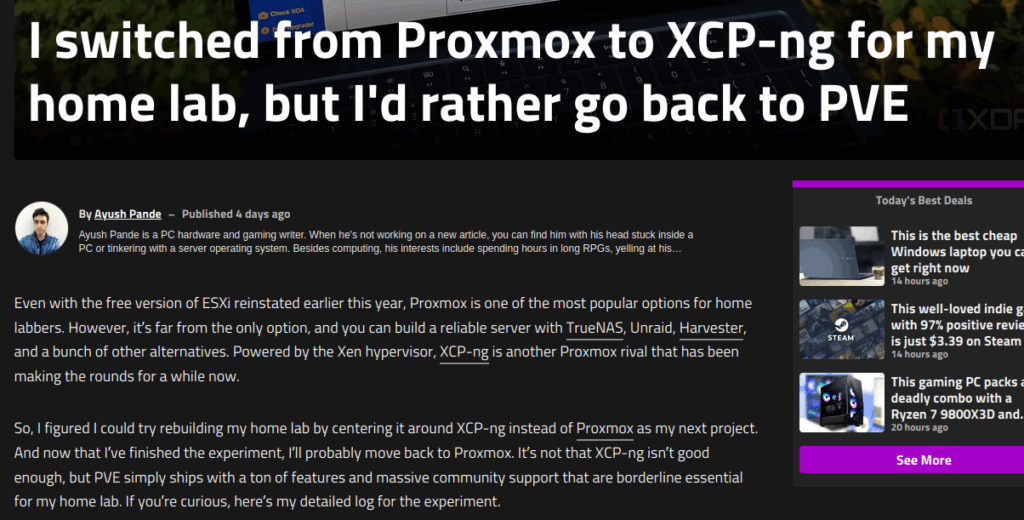
  • Matt’s Take: I switched from Proxmox to XCP-ng for my home lab, but I’d rather go back to PVE

    I don’t follow XDA Developers, but some things come across my view here and there. The content there is quite varied, from gaming to homelabbing, and more. Since I do not actively check the site, the things I see usually leave me with oh, that’s nice or I guess I am just not interested in this. However, this article hit on a particular interest, and something with which I have several years of professional and personal experience. That would be XCP-ng and Xen Orchestra.

    XDA Developers: I switched from Proxmox to XCP-ng for my home lab, but I’d rather go back to PVE

    Click that link for the full article, but I would like to address several misconceptions, caveats, and places where the author may have done something differently.

    Since I wanted to test XCP-ng’s utility in a conventional home lab, I went with an old PC consisting of a Ryzen 5 1600, 16GB memory, and a GTX 1080 instead of my Xeon server rig… the XOA virtual machine requires 2 v-cores and 2GB memory to run, while most server distros (including Proxmox) consume a fraction of those resources for their management UI. It’s not that big a deal on hardcore Xeon/Epyc servers, but for low-power devices and consumer-grade hardware, allocating 2 v-cores and 2GB RAM to the control interface can be a problem.

    This hardware is perfectly viable for a homelab virtualization host, although a bit more RAM may be ideal. He is concerned about XOA requiring 2 vCPUs, but with the way Xen scheduling works, those are not directly 1:1 mapped to physical cores, or even threads. In fact, he could have all of his VMs set to use 12 vCPUs each (Ryzen 5 1600 is 6c/12t) and Xen would figure it out. It would not be ideal as everything would have the same weight and priority on the CPU.

    With Citrix drivers installed, even Windows 11 worked well – provided I allocated enough resources to it.

    As of October 10, 2025, there are also now signed XCP-ng Windows PV Drivers available to download. No criticism here, but in case he sees this and would like to use non-Citrix drivers.

    Despite its solid performance in VM workloads, I really wish XCP-ng included some containerization provisions. Well, technically, it does support Kubernetes via Hub Recipe, but it’s not the same as running lightweight containers directly on the host. Nor is the Kubernetes implementation as simple as pasting scripts from cool repos and watching LXCs spin up in a couple of minutes.

    Sure, I could create a dedicated virtual machine for Docker, Podman, and LXC environments, but doing so would result in some performance overhead from the VM. Factor that with XOA’s resource consumption, and I can see ancient machines and budget-friendly mini-PCs buckling under the extra load on XCP-ng – even though these devices work fine as LXC-hosting workstations on Proxmox.

    While I do not entirely disagree, he is missing a major difference between the two hypervisors. Proxmox is powered by KVM, which itself is powered by two Linux kernel modules. In effect, Proxmox is a virtualization-centric Linux distribution, and modifying the host OS is entirely possible. XCP-ng, on the other hand, is a Xen distribution. Sure, you can SSH in and get a Linux bash prompt, but that is not running directly on the host. That is a VM acting as the control domain, or Dom0, and functions as a sort of bridge between each DomU (or user VMs) and the hardware. Beyond that difference, Dom0 should not be modified without serious consideration.

    There just is not a way to do containerization without an additional VM. The Kubernetes recipe is a big plus, but if Docker or Podman is preferred, than maybe just spin up an Ubuntu or Debian VM. You could deploy a GUI like Portainer, but after years of running containers in my homelab I just use Docker Compose and VSCodium because the GUIs just ended up being much more work overall.

    Unlike XOA, which is the official management platform with features locked behind a paywall, Xen Orchestra lets you control XCP-ng without these issues. But rather than letting you deploy the server using a simple button. Xen Orchestra has to be compiled manually from the source repo. There is technically a neat script that takes away some of the hassle, but it’s still a lot more annoying than, say, deploying Proxmox and using a single web UI to manage everything.

    He’s not entirely wrong, but I would invite him to look at any of the countless companies who promote their project as open source and truly do paywall essential features. In this case, you can still get the whole thing, even if it needs a little bit of effort. Businesses that have their revenue primarily coming from SMB and enterprise sources cannot always support homelabbers in the ways that homelabbers might like. In my opinion, having the sources available to compile is actually quite generous.

    However, between its lack of native support for containers, extra overhead from non-XO Lite UI, and the heavily paywalled nature of XOA, Proxmox is my top choice for home lab platforms. I’ll probably move my XCP-ng instance to an i5-125U system just so I can continue tinkering with it in my spare time. But when it comes to normal home server and self-hosting tasks, I’ll stick with good ol’ Proxmox instead.

    While he ends with some misconceptions (see above), I cannot argue with his overall conclusion. XCP-ng and Xen Orchestra are not just set it and forget it and might need a little extra tinkering here and there. I would argue that extra tinkering is very much worth the effort.

    Watch this space very soon for some upcoming video content, including deep dives on XCP-ng and Xen Orchestra with a combined emphasis on my professional SMB and homelab experience. Stay tuned!

  • “Plan for the worst, hope for the best”

    Let’s take a step back. The better part of a decade, at this point. Within a month or two of being hired as a Systems Engineer, and some time before I truly came to grasp the environment I had walked into (of course, almost nothing was documented), our systems were hit with ransomware. As soon as I realized what it was, and that was rather quickly, I strongly suggested locking down the firewall except that was initially denied… because people in the field will be unable to do business. Excuse me? If you don’t act fast here, there may not be much of a business with business to do. Long story short, I made the call myself to the co-lo to lock down the firewall. It managed to hit at least the two main servers. We had no intention of paying maybe $30k+. I forget exactly. Could have been a lot more. Instead we quarantined the servers, wiped them, and reinstalled. We had backups, although they were file-based backups and several terabytes of data took probably close to half of a day to restore.

    As we moved from pure crisis to the less chaotic remediation, I was able to speculate on more or less what happened. Keep in mind, I do not have a cybersecurity background, but that really was not needed here. I found that these Windows Servers were installed bare metal, and one was placed directly on the public internet, essentially for the people in the field to be able to connect in via RDP. Why there was not a VPN, or even /bare-minimum-although-still-bad-security/ only allowing TCP/3389 for RDP, I have no idea. That VPN was implemented quite quickly here. Additionally, each location had a single flat /24 subnet, and the point of attack here was no different. Actually, it had two, but that’s a whole other thing.

    Fast forward about a year or two, the head of the IT department was let go from the company. It was a small team. Myself on the infrastructure side of things, and another mostly end-user help desk, desktop support, etc. side of things. These servers were several years beyond EOL, now also running standalone ESXi below the primary Windows Servers. Beyond EOL meant no bios updates without paying up, and the out of date bios meant ESXi would do stupid things all the time. The only way I could fix one of the recurring problems was to enter a higher privileged command prompt, and documentation about that was not easy to find.

    Suffice it to say, it all really needed to be torn down and rebuilt with a bespoke plan. Some time before the IT head left, he had asked me to look into a server upgrade. Even then I knew that upgrading just one server would not be sufficient. Coincidentally, not long after that I got a sales call from Nutanix. That was certainly interesting, but was going to be far more costly than any one of us liked. I was looking at VMware Essentials licenses to bring the current environment where it really needed to be, but that was also passed on. It was during this time that I also started testing XCP-ng after watching Tom Lawrence’s videos.

    With the former IT head gone, I knew the responsibility was going to fall on me, even if I was not to be given his position and title. To be fair, I could have done nothing and allowed the servers to continue limping along, applying bandage after bandage until they finally fail. That was really all I could be held responsible for. However, I took it upon myself to shop around at different vendors and build a proposal to put in front of the CTO and other key people. My target budget was what I heard the former IT head mention was paid for the old servers. My testing of XCP-ng was going extremely well, so I chose that as the foundation for the compute nodes, and TrueNAS Core for storage. Minimizing the software license costs allowed much more of the budget to be applied to hardware. The proposal had three configurations for compute, three configurations for storage. It emphasized open source software, avoiding vendor lock, avoiding arbitrary software licenses. It was quite beautiful.

    Of course, the proposal was all about how necessary it was and how it would help the company. Personally, my primary motivator was that it would lead to far fewer headaches once complete. That was really my primary motivator for a lot of what I did there. Both can be true at the same time.

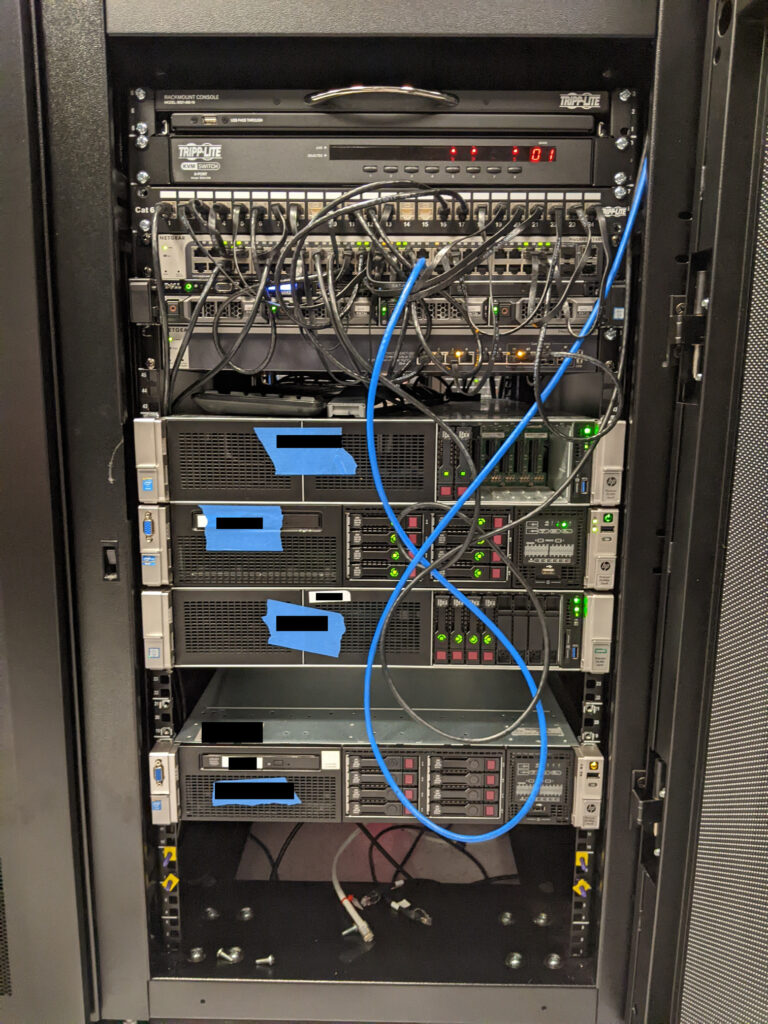
    If I am not mistaken, they chose the top configurations for each. It ran circles around the old hardware in so many ways. 3x compute nodes, each with dual 20-core/40-thread CPUs, and a storage array with dual redundant controllers and 40+TB of spinning rust storage in RAID1+0. Network was nothing crazy, with a 24-port 1GbE access switch, and a 28-port 10GbE switch strictly for storage. The compute nodes had redundant SD cards for boot, where I installed XCP-ng, but did not have local storage (aside from a single unused 900GB drive, because they could not be ordered without at least one disk for whatever reason). Instead, they were tied to an iSCSI LUN on the TrueNAS array.

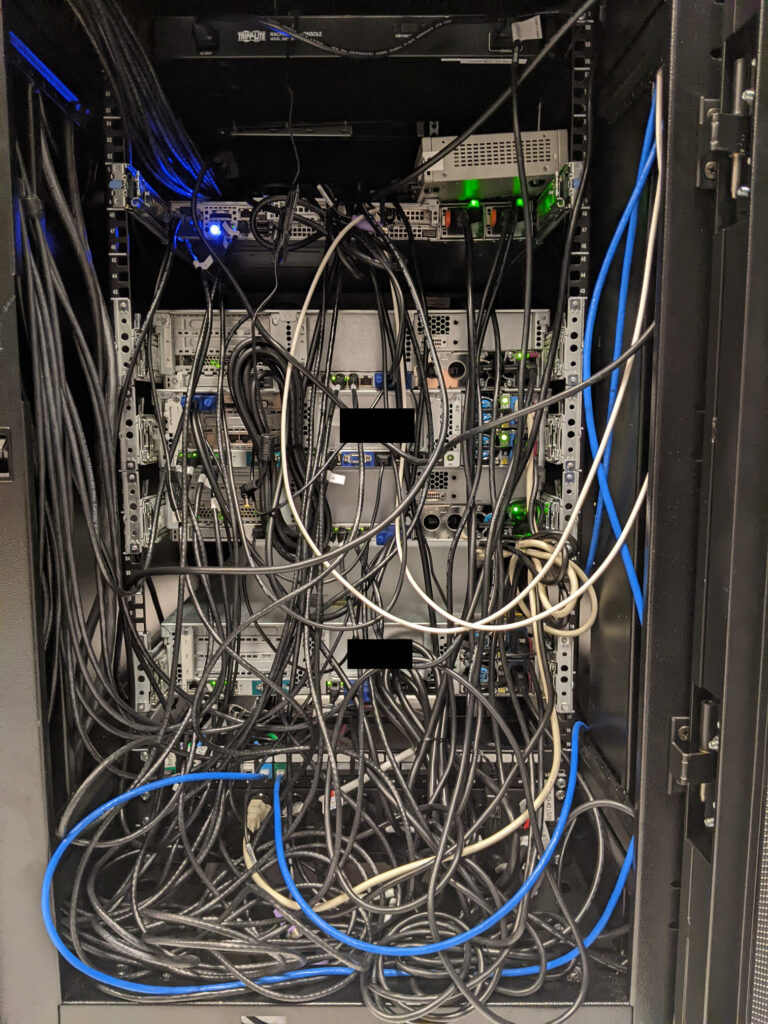
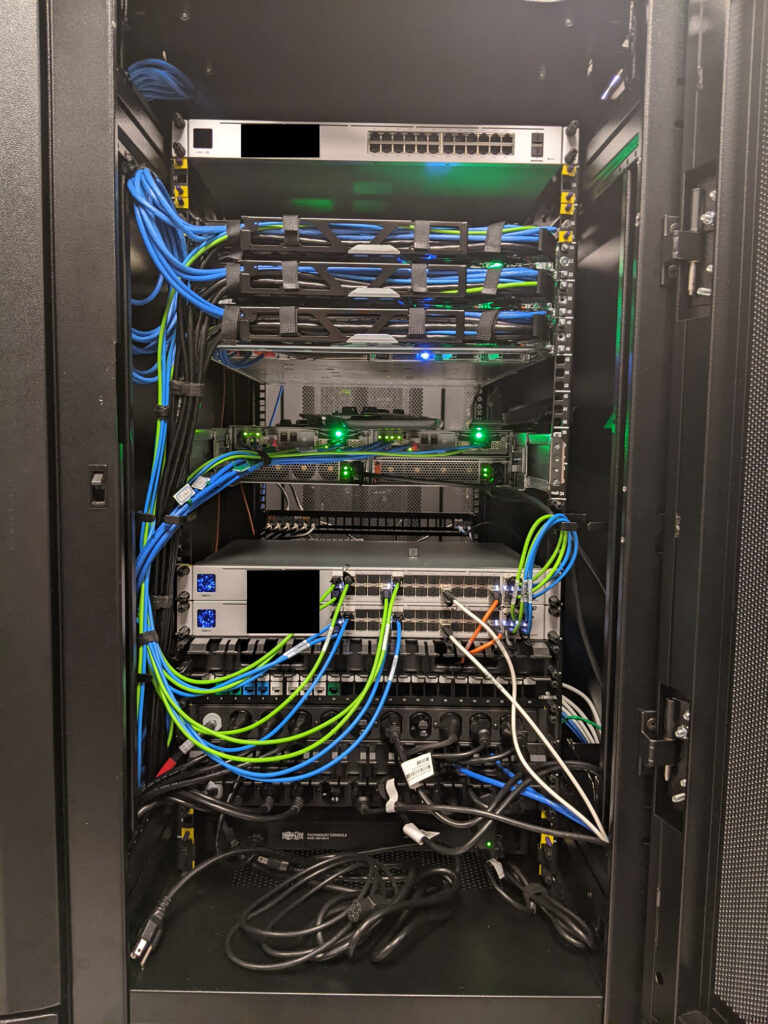
    It was an absolute beast when completed. I was quite proud of that. Compared to a lot of businesses with presence in a data center, this probably was nothing all too impressive. However, I built that, top-to-bottom, where others might have a whole team of people to plan and implement over a long period of time. Yeah, I was quite proud of that. These photos were taken before it was finished, but that cable management is /nice/.

    This all ties back to the ransomware attack. Fewer headaches meant tackling the problems surrounding the attack. Multiple compute nodes and redundant storage controllers meant greatly increased fault tolerance at the hardware level. Xen Orchestra snapshots and backups ensured far faster remediation in case of any potential future attack, especially since restoring from snapshot or backup is only a few clicks and mostly limited by the speed of disks and/or network. On the other hand, in the event of a full restore, the old way of file-based backups first required a fresh Windows Server install /before/ even starting the file restore. Live VM migrations between hosts was fast and painless. There was plenty of CPU overhead, such that all VMs could technically fit on a single host. That also meant that single host updates and reboots (or Rolling Pool Updates) were absolutely trivial. Presuming an attack is happening, /and/ you are lucky enough to catch it, just shut down the affected VMs. Possibly even shut down all VMs, if necessary. Then restore a snapshot or backup. It may be a good idea to disable networking on the VM in case the ransomware is also present there. Once reasonably certain it is clean, bring networking back up.

    Additionally, to reduce attack surface, I put the XCP-ng hosts and TrueNAS array on a secured subnet that very little else had access. Then, keep logins and passwords secure. Bitwarden, in this case.

    Off-site replication to Backblaze was also a must, meeting and exceeding a 3-2-1 backup strategy.

    That vastly improved remediation provided an attack in progress, but later I would improve security with a Darktrace security appliance and KnowBe4 for security awareness training. Maybe I will write about them later.

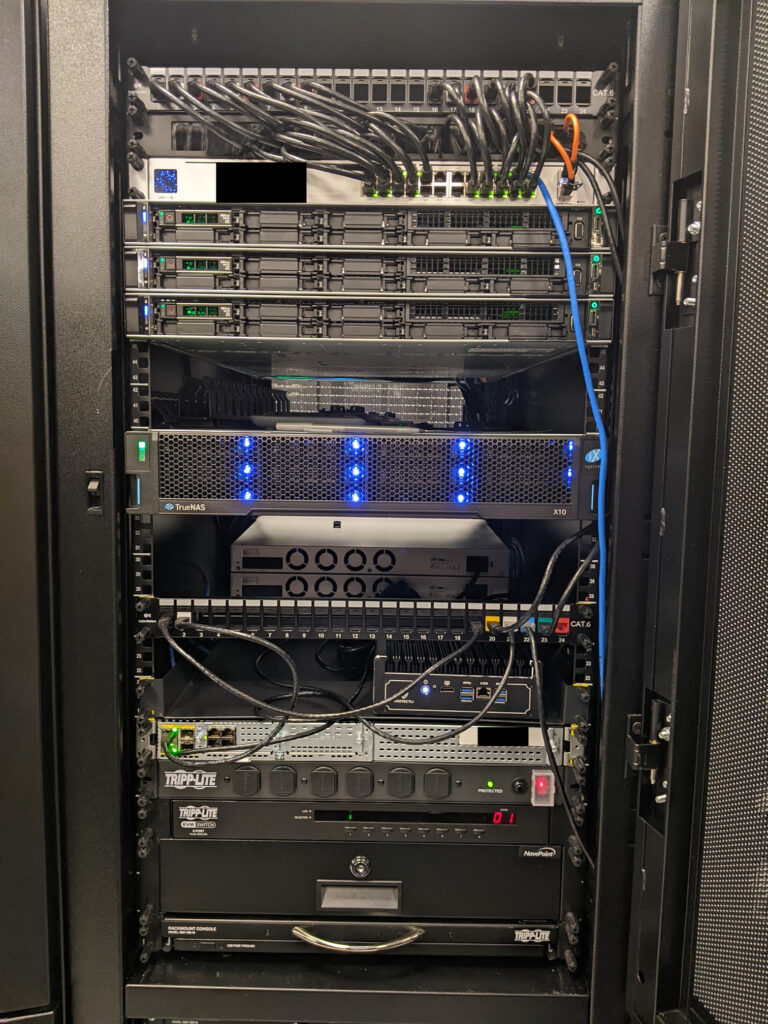
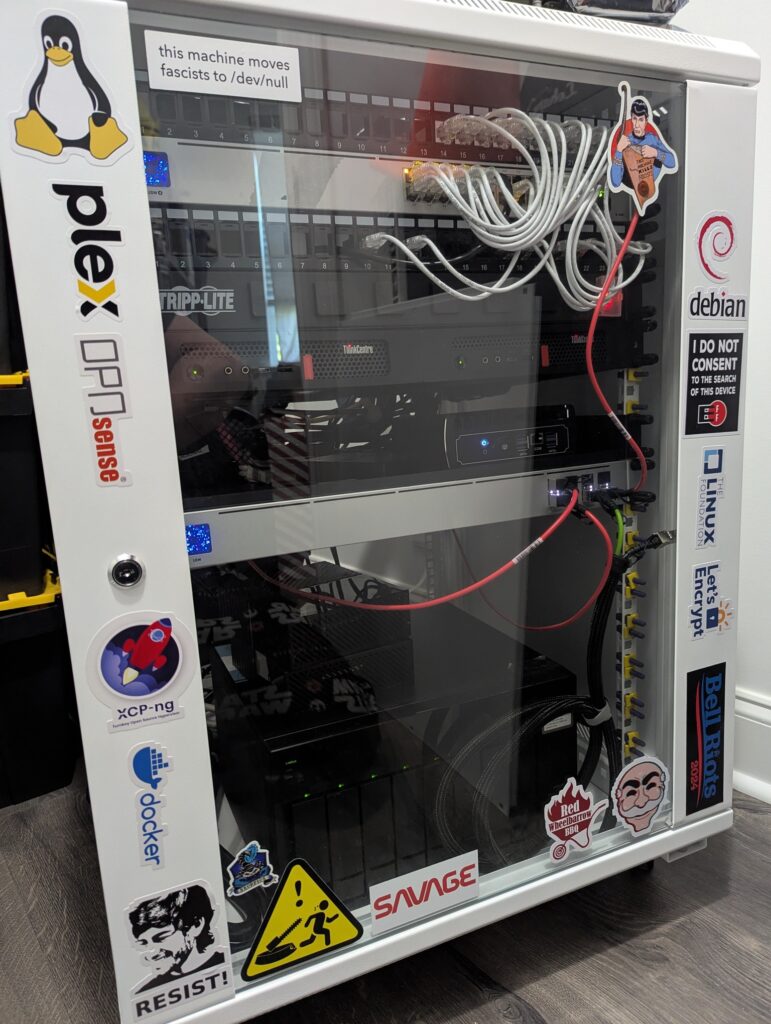
    At home, my network and homelab were initially designed around lessons I learned from that, and also things I learned at home were later applied there, as well. Both there and home use XCP-ng, OPNsense, and Unifi.

    “Plan for the worst, hope for the best.” – I most recently heard that on the fantastic series ‘The Pitt’, but it has been repeated in countless ways as long as people could repeat in countless ways. Sure, it’s about making everyone else’s jobs and/or lives easier, but at the end of the day don’t we all want to strive for fewer headaches?

    I realize that this post is largely braggadocio, but I was having trouble getting started on writing anything else until I at least wrote this. At least there are some general lessons to take away here, yeah?

  • Minor Update

    Well, I guess I’m intending on this being a blog (obviously), but also a portfolio on some level. Following the lead of tech YouTubers like Tom Lawrence, Level1Techs, Learn Linux TV, Network Chuck, and so on… honestly, I could be here for a while naming all the great tech YouTubers… anyway, I don’t have a clear focus on what will go here, but that should come soon enough.

    What it may look like may start with something like this: I am not developer, coder, programmer. At this point, it’s probably safe to say that’s not for me. Maybe it’s ADHD, maybe other things hold my interest more. Networking, virtualization (especially XCP-ng), and Linux tend to be my things. For several years, I have dabbled with Docker, initially deploying apps with Portainer. This was fine for a long time, but after a while I felt drawn toward rebuilding everything with Docker Compose. Compose files are static and easier to manage, and Portainer and Compose aren’t exactly the best of friends. Portainer wants to eat your compose files and leave nothing on the plate. As I was rebuilding in Compose, Dockge helped quite a bit. Being able to edit the files within the app and start/stop stacks was super useful, but anyone familiar with IDEs might be able to guess where this leads. As I settled on using VS Code to edit these files, I followed Christian Lempa’s advice to just use that to more or less do the things I was doing in Dockge.

    Honestly, there’s a lot more going on and I just wanted to tap something out here. Did my first push to a GitHub repo a bit ago. Maybe odd since I’ve used Linux for so long, but maybe not as I’m not a developer. Still, version control is and will be extremely useful as I expand my homelab. This may include devoting one of my mostly unused XCP-ng hosts with 12 vCPUs to Kubernetes. Not sure what flavor or how it will look. Docker, and especially Docker Swarm, falls short for a lot of things that I would like to do, and could see being needed in a business setting. Maybe I’ll write as I go. Maybe I’ll figure out YouTube content. Not sure. That’s all for now!

  • Welcome

    “You must see with eyes unclouded by hate. See the good in that which is evil, and the evil in that which is good. Pledge yourself to neither side, but vow instead to preserve the balance that exists between the two.” – Hayao Miyazaki

    This page is a work in progress. Please check back later. In the meantime, please feel free to check out ‘Photography’ at the top to see a small sampling of my photography.

    — Matt McDougall